Claude in 30 seconds
Claude is an AI assistant built by a company called Anthropic. You talk to it in normal language. It reads. It writes. It thinks step by step.
It is one of the top AI tools today. Right up there with the other big names.
What makes it stand out for most people is the writing. The answers feel calmer. Less robotic. Easier to read.
Who makes it
Anthropic. A company built around making AI that is helpful, honest, and safe.
That last word matters more than it sounds. A lot of work goes into making sure the model does not lie to you, does not push you around, and tells you when it is unsure.
You will feel that in the answers if you pay attention.
What makes it different
Three things, in plain words.
One. It writes well. Real sentences. Less buzzword soup.
Two. It reads long stuff. Drop a big document in. It will hold the whole thing in mind.
Three. It pushes back. If your idea is shaky, it will say so. Other tools just say yes to everything.
The model names you will see
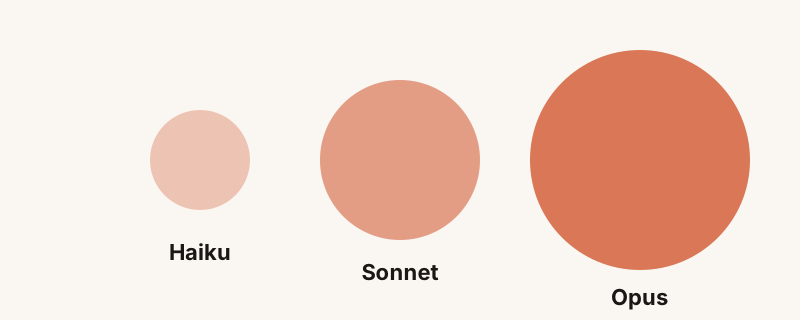
You will hear three words a lot. Haiku. Sonnet. Opus.
Haiku is the fast, small one. Cheap to use. Great for quick tasks.
Sonnet is the everyday workhorse. Smart and quick. This is what most people use for most things.
Opus is the heavy thinker. Slower. Best for hard problems where you want the best answer.
Pick Sonnet by default. Move up to Opus when the task earns it.
Where you can use Claude
The website at claude.ai. The mobile app. The desktop app. Inside other tools like the Anthropic API. Inside Claude Code if you write software.
It is the same brain behind all of them. Different doors into the same room.
What it is good at
Writing. Reading. Summaries. Translation. Light research. Coding. Spreadsheets and tables. Cleaning up messy notes.
Also good at thinking out loud with you. Pricing decisions. Career stuff. Hard emails to write.
What to be careful with
Numbers from a long time ago. Very fresh news. Sensitive personal data. Anything where being wrong is dangerous.
It will tell you when it is not sure. Listen to that. Check what matters.
Should you pay for it
Free is fine to start. Try it for a week. If you find yourself using it daily, the paid plan pays for itself fast.
If you and your team need shared work, the team plan is the right move. There is a whole page about that over here.
One question: is there a task in your week where the answer is always the same kind of email or summary? That is the place to start. Tell me what it is on LinkedIn and I will help you set it up once.